● Powered by high-end photo AI

Pro virtual staging, less than half the price of competitors

Upload one photo or a whole listing and get back beautifully staged interiors, brighter exteriors, decluttered rooms and more — the real property always kept intact. Preview instantly, pay only for the shots you download.

Before
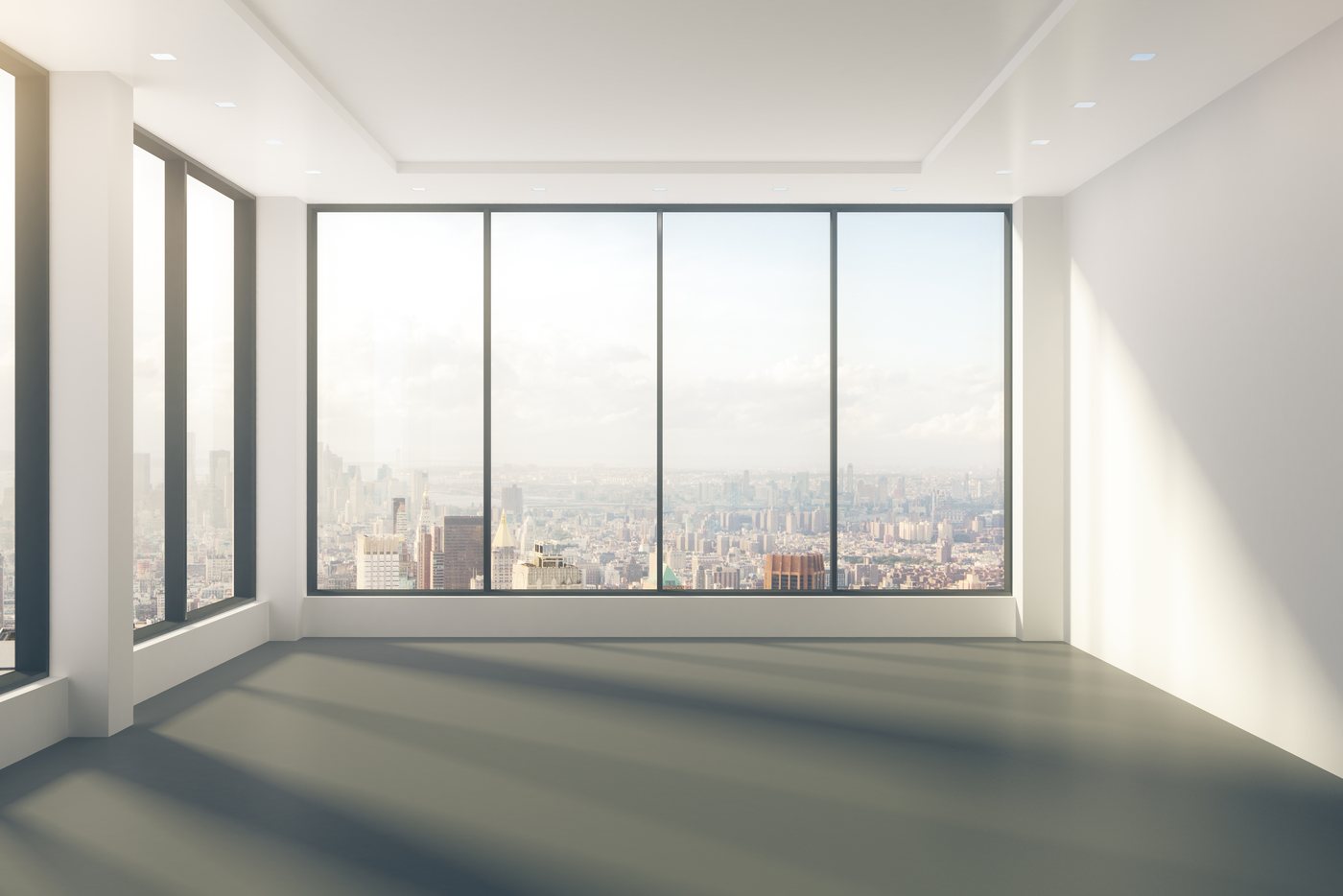
Empty living room before staging
Your original photo — the real space.
After
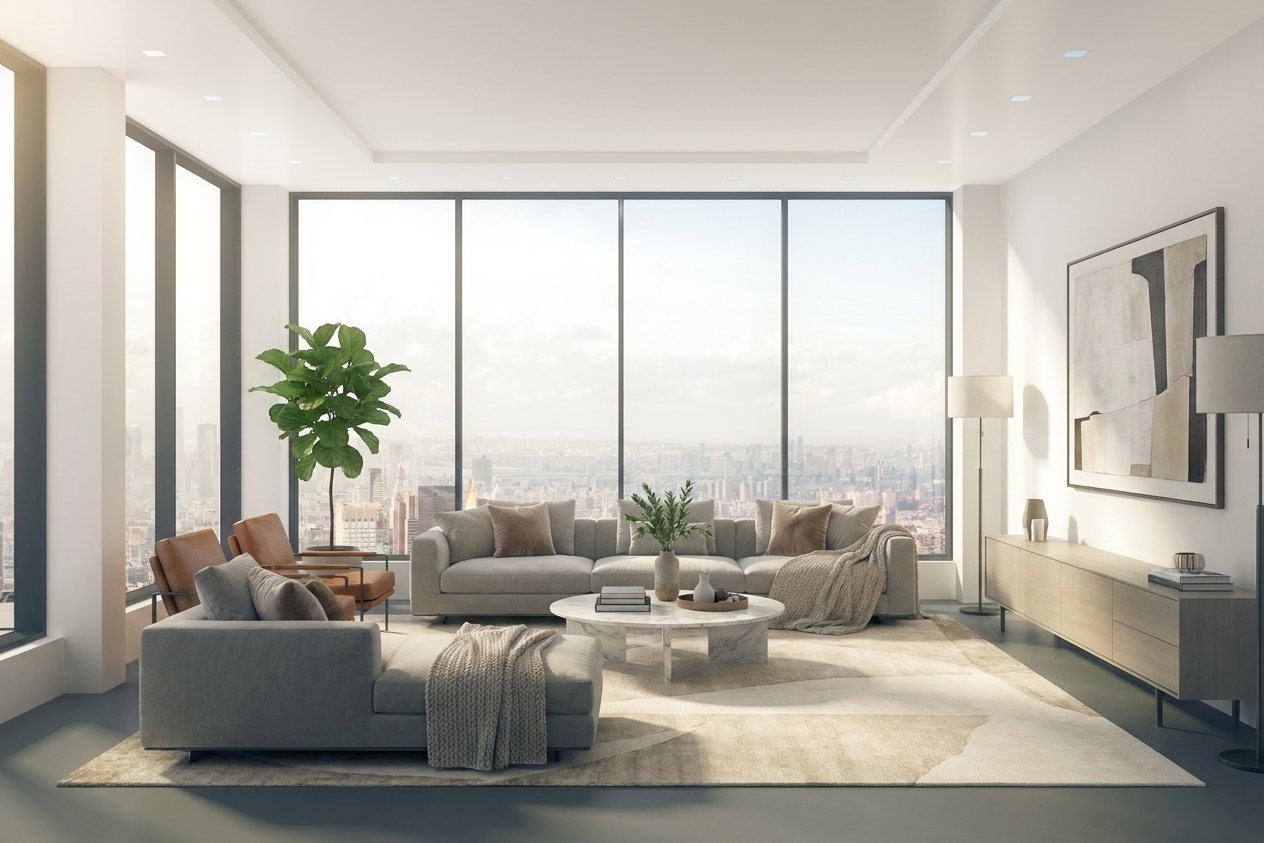
Living room after virtual staging
Staged and ready.

How it works

Three steps, about a minute.

No design skills, no software to learn. It's built to be simple as upload, view and save.

1

Add your photos

Drop in one photo or a whole listing at once — empty rooms or exteriors. They save privately to your account.

2

Choose & preview

Pick a look — stage a room (with a style), enhance the exterior, declutter, brighten, or go day-to-dusk — and preview every result watermarked.

3

Pay & download

Love it? Check out securely for that photo and download the full-resolution, watermark-free image.

What it does

Enhance the presentation. Never the property.

The whole point is honesty. We add furniture and clean up the setting so buyers can picture themselves there — while every wall, window, roofline and dimension stays exactly as photographed.

  • Interior staging. Realistic, well-proportioned furniture and decor added to empty rooms.
  • Exterior enhancement. Dull skies turned clear blue; lawns and landscaping made healthy and green; optional day-to-dusk.
  • Whole-listing bulk upload. Add every photo of a listing at once and enhance them together in one pass.
  • Style presets. One click for Modern, Farmhouse, Coastal, Scandinavian, Luxury and more — or describe your own.
  • Declutter & photo fixes. Remove clutter and personal items, or brighten dim, dark rooms.
  • Property preserved. Architecture, fixtures, layout and materials are left untouched — no fake additions.
  • Your library. Originals and enhanced versions are saved to your account so you can come back anytime.

Why AvonyaLabs

Staging you can actually put on a listing.

Anyone can make a picture. AvonyaLabs gives you photos that are fast, honest, and safe to advertise — no skills required.

Upload and done

No prompts, no software, no learning curve. Drop in a photo and get a listing-ready result in about a minute.

We never fake the property

Walls, windows, rooflines and dimensions stay exactly as photographed. Only the furniture and setting change — so your listing stays honest.

Staged your way

Add a note like "modern furniture" or "sofa facing the fireplace" and the AI follows it — or leave it blank for an automatic design.

Compliance made simple

Built-in disclosure guidance and clear terms so you can advertise enhanced photos the right way.

Your photos, saved

Originals and staged versions stay in your account. Come back and re-download anytime.

Pay only when you download

Preview every result free. No subscription — a flat $6 per finished photo.

What the AI changes

Exactly what we will — and won't — touch

AvonyaLabs only changes how a home is presented — never the home itself. Your photos stay truthful and safe to advertise.

What it does

Adds furniture & decor to empty rooms (virtual staging) · brightens dark or underexposed rooms · declutters loose, movable items · enhances exteriors with clearer skies and greener lawns · converts a daytime photo to dusk.

What it never does

Never changes walls, windows, doorways, rooflines, stairs, layout, size or dimensions · never adds or hides permanent features · never conceals damage, defects or the true condition · never invents anything seen through windows or glass.

Pricing

Pay per photo. Nothing upfront.

$6 / downloaded photo

Upload, preview and stage your photos for free. You only pay when you download a finished, watermark-free image. Secure checkout by Stripe.

FAQ

Virtual staging questions, answered

What is virtual staging?

Virtual staging digitally adds furniture and decor to a photo of an empty room so buyers can picture the space. No physical furniture is moved or rented.

How much does AvonyaLabs cost?

You can upload, stage, and preview photos for free. You only pay $6 for each finished, watermark-free photo you download — there's no subscription.

Does virtual staging change the actual property?

No. Only the furniture, setting, sky, and landscaping are added or cleaned up. Walls, windows, rooflines, and dimensions stay exactly as photographed.

Do I have to disclose virtually staged photos?

Yes. The REALTOR® Code of Ethics requires a true picture in advertising, most MLSs require a label on the image or a note in the remarks, and in California a statute has required it since January 2026 — including a link to the original unaltered photo. See the disclosure guide.

What can AvonyaLabs do to a photo?

It can stage empty rooms, enhance exteriors with clear skies and green lawns, declutter and remove items, brighten dark rooms, and convert daytime photos to dusk.

How fast is it?

Most photos are staged in about a minute. You can upload a single photo or a whole listing at once.

Go deeper

Guides to each part of the job

Virtual staging

How it works, which rooms are worth staging, and how it compares with physical staging.

Day to dusk

The twilight hero shot without a second trip to the property, and how to shoot for it.

Decluttering

What may be removed from a listing photo — and what may never be.

Exterior enhancement

Sky replacement and lawns, and the hard line at the building itself.

For photographers

Sell staging under your own brand through the white-label API.

Disclosure guide

What NAR, your MLS and California AB 723 actually require, with the statutory text.